How to Schedule Motorized Shades Automatically
Learn how to schedule motorized shades by time, sunrise, sunset, or daily routines—and how to create practical settings for privacy, comfort, and energy efficiency in a South Florida home.
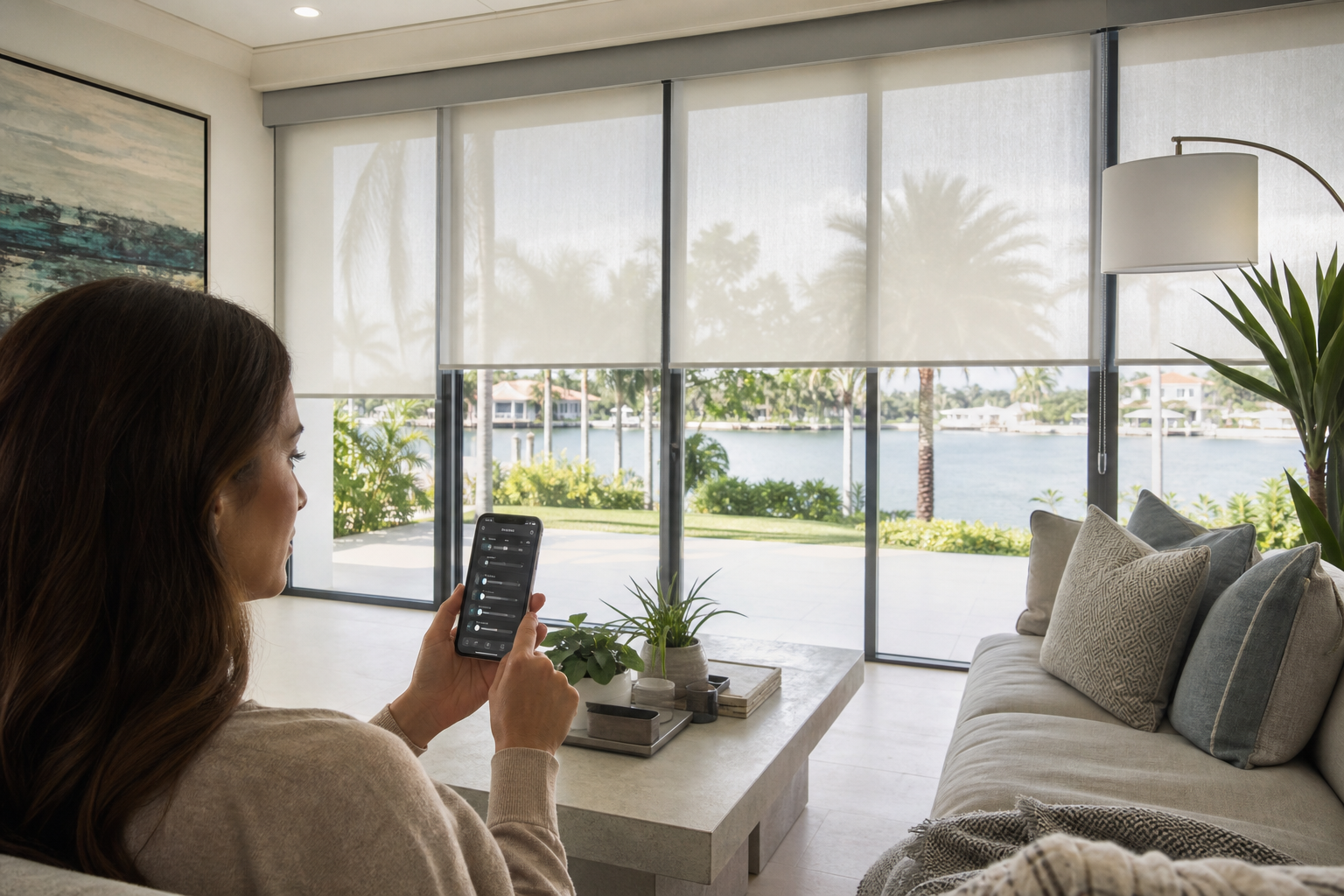
Motorized shades can do more than open and close with the press of a button. With the right controls, you can schedule them to adjust automatically throughout the day based on a specific time, sunrise, sunset, or a customized home routine. This makes it easier to manage sunlight, privacy, indoor comfort, and the appearance of your windows—even when you are busy or away.
For homeowners in Miami-Dade County and across South Florida, automatic shade schedules can be especially useful. Strong sunlight, heat, glare, and changing daylight conditions affect rooms differently throughout the day. A well-planned schedule can help your shades respond consistently while still allowing you to make manual adjustments when needed.
What Does It Mean to Schedule Motorized Shades Automatically?
Scheduling motorized shades means programming your window treatments to move at predetermined times or in response to a setting such as sunrise or sunset. Depending on the motorized shade system and controls selected, scheduling may be managed through a remote, wall control, mobile app, smart-home platform, or a combination of these options.
For example, a homeowner might create a schedule that:
- Raises bedroom shades in the morning.
- Closes shades in a home office during the brightest part of the day.
- Lowers living room shades near sunset for evening privacy.
- Opens selected shades before arriving home.
- Adjusts shades differently on weekdays and weekends.
The exact features depend on the motorized shade system, power source, control method, and smart-home compatibility. Before choosing a system, it is important to confirm which scheduling options are available for your specific installation.
Common Ways to Schedule Motorized Shades
1. Set schedules by time of day
The most straightforward option is a time-based schedule. You choose when a shade should open, close, or move to a particular position. This works well when your household follows a fairly consistent routine.
A simple weekday schedule could raise bedroom shades at a chosen morning time, open kitchen shades later in the morning, and lower living room shades in the evening. On weekends, you can create a separate schedule that allows the shades to remain closed longer.
Time-based scheduling is predictable, but it does not automatically account for seasonal changes in daylight. A schedule that works well in one month may need to be adjusted as sunrise and sunset times change.
2. Use sunrise and sunset schedules
Some control systems allow shades to respond to local sunrise or sunset rather than a fixed clock time. This can make a schedule feel more natural as daylight changes during the year.
For example, bedroom shades may open around sunrise, while street-facing shades may lower around sunset to increase privacy. Homeowners should review whether the system allows an offset, such as opening a set number of minutes before or after sunrise. This is useful when you do not want shades to move at the exact moment daylight changes.
3. Create scenes or routines
A scene or routine combines multiple shade actions into one command. Instead of scheduling each shade separately, you can create a setting such as “Morning,” “Away,” “Movie,” or “Evening.” A routine may include several rooms and can sometimes coordinate with other smart-home devices.
For instance, an evening routine might lower living room shades, close bedroom shades, and leave a partially open shade in a hallway. A departure routine could lower selected shades for privacy while leaving other windows open to preserve natural light.
Scenes are particularly helpful in homes with large windows, multiple rooms, or hard-to-reach windows. They also allow you to make a quick adjustment without changing the underlying schedule.
4. Use a mobile app or smart-home platform
Many modern motorized shade systems can be managed through an app or integrated with a compatible smart-home platform. This may allow you to create schedules, control individual shades, group shades by room, and check whether a command was completed.
Compatibility should be confirmed before installation. Not every shade motor, hub, app, or voice assistant works with every smart-home system. For more information about voice commands and connected controls, see Smart Motorized Shades With Voice Control: A South Florida Homeowner's Guide.
How to Schedule Motorized Shades: A Practical Process
The exact menu names vary by manufacturer and control system, but the general setup process is similar.
- Confirm that the shades are connected. Make sure each shade is paired with its remote, hub, app, or control system. Labeling shades by room can make setup easier.
- Check the location and time settings. Sunrise and sunset schedules depend on accurate location, time zone, and daylight-saving settings. A wrong location can cause shades to move at an unexpected time.
- Group shades where appropriate. You may want bedroom shades to operate together while keeping living room or office shades on separate schedules.
- Choose the trigger. Select a fixed time, sunrise, sunset, or another available scheduling option.
- Choose the action. Decide whether the shades should open, close, or move to a preferred intermediate position.
- Select the days. Create separate weekday and weekend schedules if your routine changes.
- Save and test the schedule. Test one room first, then confirm that each shade moves as expected and that the timing is practical.
- Review the schedule after a few days. Make adjustments based on glare, privacy, room use, and how the space feels at different times.
Useful Automatic Shade Schedules for South Florida Homes
South Florida homes often receive substantial natural light, and east-, south-, and west-facing windows can behave very differently. Rather than using one schedule for the entire home, consider the direction of each window, the room’s purpose, and when the space is occupied.
| Room or area | Scheduling idea | Why it may help |
|---|---|---|
| Bedrooms | Open shades in the morning and close them at night | Supports a consistent routine and nighttime privacy |
| Home office | Lower shades during periods of strong glare | Can make screens and work surfaces more comfortable to use |
| Living room | Adjust shades around late afternoon or sunset | Helps manage glare and evening privacy |
| Media room | Close blackout shades before a scheduled viewing | Reduces unwanted light when the room is in use |
| Street-facing windows | Lower shades near sunset or when the home is unoccupied | Provides a more consistent privacy routine |
In rooms with intense afternoon sun, it may be more comfortable to lower solar or roller shades before glare becomes a problem. In bedrooms or media rooms, blackout shades may be better suited to a schedule that prioritizes darkness and privacy. The right automation strategy depends on the shade fabric and the room—not just the motor.
Should Shades Open and Close Completely?
Not always. Many homeowners prefer a partial position rather than fully open or fully closed. A shade can be programmed to stop at a selected height, which may allow daylight into a room while reducing direct glare or maintaining privacy.
Partial positions can be useful for:
- Living rooms that need natural light without direct afternoon sun.
- Home offices where the lower portion of a window creates glare.
- Street-facing rooms where privacy is important but total darkness is unnecessary.
- Large windows where a fully open or closed appearance feels too extreme.
During installation and setup, discuss preferred stopping points with your window treatment professional. Proper measurement and programming help create a consistent appearance across multiple windows.
Important Considerations Before Creating a Schedule
Power source and battery maintenance
Motorized shades may use battery power or a wired electrical connection, depending on the product and installation. The power source affects planning, placement, maintenance, and how easily the shades can be installed in different rooms. Review the advantages of each option in Battery vs. Wired Motorized Shades: Which Is Right for Your Home?.
Manual control should still be available
Automatic scheduling is convenient, but your household should be able to override a schedule when necessary. You may want to keep shades open for guests, close them during an unusually bright afternoon, or stop a movement while cleaning a window.
Schedules should reflect how rooms are used
A shade schedule should support daily life rather than force everyone to follow a rigid routine. Consider school, work, sleep, pets, guests, and vacations. If a room is used at different times on different days, separate schedules or scenes may be more practical than one universal setting.
Large or high windows require thoughtful planning
Motorization is especially useful for high, wide, or difficult-to-reach windows. However, larger windows may require additional planning for shade grouping, alignment, power, and control. Read Motorized Shades for High Windows: A South Florida Guide for more considerations.
Weather and storm-related routines
In South Florida, outdoor conditions can change quickly. A shade schedule should not be treated as a substitute for storm preparation or for following product-specific care instructions. If a weather event is expected, review your shade settings and use the manufacturer’s recommended procedures.
How to Make Automatic Shade Schedules More Effective
- Start with one or two rooms. Testing a smaller setup makes it easier to identify timing or grouping issues.
- Use window orientation as a guide. East-facing windows often need different morning settings than west-facing windows in the afternoon.
- Use small timing offsets. Opening every shade at once may not be necessary. Staggering movements can better match how your household wakes up and uses each room.
- Review seasonal changes. Even with sunrise and sunset automation, you may want to adjust routines as your family’s schedule or daylight preferences change.
- Name shades clearly. Labels such as “primary bedroom left” or “office west window” make app control and troubleshooting easier.
- Keep a manual option available. A remote or wall control can be useful when the app is unavailable or when you want a quick override.
Frequently Asked Questions
Can motorized shades open and close automatically every day?
Yes, many motorized shade systems support recurring schedules. Depending on the system, schedules may be based on fixed times, sunrise, sunset, or customized scenes. Available features should be confirmed before selecting the equipment.
Can I create different schedules for different rooms?
In many systems, yes. Shades can often be organized by room, group, or individual window. This allows a bedroom, office, living room, and media room to follow different routines.
Can I schedule motorized shades for weekends and weekdays separately?
Many scheduling systems allow different days or groups of days. This is helpful when your weekend wake-up time, work schedule, or room usage differs from the rest of the week.
What happens if I want to override an automatic schedule?
Most systems provide a remote, wall control, app, or other manual method. An override lets you open, close, or reposition a shade without necessarily deleting the recurring schedule.
Do I need smart-home integration to schedule motorized shades?
Not necessarily. Some systems can provide scheduled operation through their own controls or app. Smart-home integration may add features such as voice control, broader routines, and centralized management, but compatibility varies.
Plan a Motorized Shade System Around Your Home
Automatic scheduling works best when the shades, fabrics, controls, and room-by-room routines are planned together. A professional consultation can help identify which windows need blackout coverage, which rooms benefit from glare control, and where motorization can make daily operation easier.
Floridian Blinds helps South Florida homeowners explore custom motorized shade solutions with professional measurement and installation. Contact us for a free consultation and measurement to discuss your windows, preferred schedules, and automation goals.